
YouTube 影片筆記
Suno V5.5實測:用自己的聲音當主唱,打造專屬音樂模型
原片標題:Suno v5.5 is Here: Make Music With YOUR Voice & Custom Models!
原片說明
Welcome to Suno v5.5! This is our best sounding model yet, but more importantly, it is our most personalized model. Sign up for Suno here: https://suno.com/?utm_source=Social&utm_medium=YTSF&utm_campaign=Voices
We built v5.5 around the idea that the music you create should carry something of you: your voice, your sound, and your taste. In this full tutorial, Luke Conard breaks down three brand new features that give you the most expressive Suno experience to date:
🎤 Voices (Beta) You can finally make music with your own voice on Suno! We walk you through how to record or upload your audio to capture your voice. We’ve built in strict verification to ensure you stay in control, and your Voices are completely private and only accessible to you. (Note: During the beta, we’ve reduced the cost of using Voices to just 4 credits per creation!)
🎛️ Custom Models
Upload your own catalog of music or raw audio files to create a special version of the v5.5 model that is all about your signature sound. You can build a custom model with as few as 6 tracks (or up to albums' worth of audio!) to perfectly capture your unique musical aesthetic.
✨ My Taste
Suno is learning to speak your musical language. My Taste captures your creative preferences, go-to styles, and songwriting traits to build a personalized magic wand. The more you create, the more it gets your taste.
Voices and Custom Models are available right now for Pro and Premier subscribers, and My Taste is available to everyone on Suno.
Chapters:
00:00 - Welcome to Suno v5.5
00:34 - Introducing Voices
01:11 - How to Capture Your Voice
02:57 - Verification & Privacy
03:56 - Creating a Song with Your Voice
06:28 - Introducing Custom Models
07:05- How to Train a Custom Model
08:54 - Using Your Custom Model
10:03 - Custom Model vs. V5 Model
11:04 - My Taste (Personalized Magic Wand)
11:48 - Where did Personas go? (Voices Beta Info)
Hosted by: Luke Conard
#Suno #SunoAI #AIMusic #SunoV5 #MusicProduction #VoiceCapture #CustomModels #MusicTech #AI #CreatorTools
天啊,Suno 終於開放上傳自己的聲音了!以前用 AI 做歌總覺得少了點「人味」,結果現在直接讓你的聲音變成主唱,也太扯。這支影片 Luke 會一步步帶你設定聲音、做專屬模型,還有一堆新功能,看完真的會手癢想馬上開啟 Suno 試試。
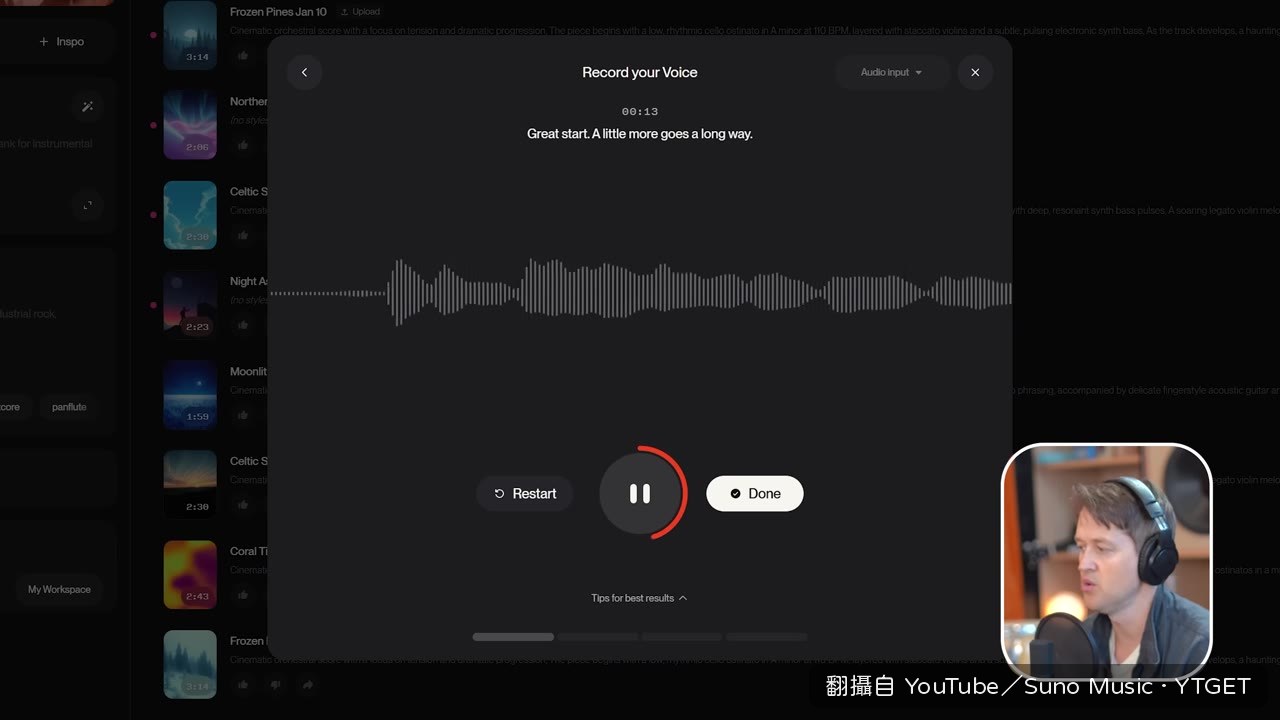
- 00:00開場介紹 Suno V5.5,強調是最個人化的型號
- 00:35宣佈 Voices 功能,終於可以用自己的聲音創作
- 02:35示範錄製聲音,並說明嚴格的驗證流程
- 03:56用自己聲音實際創作一首歌,成果驚人
- 07:03上傳 Henry 的管絃樂,建立 Custom Models
- 09:00用自訂模型生成「浪漫電影現代經典」風格歌曲
- 10:48比較自訂模型與 V5 的差異,並提醒版權問題
- 11:04講解 My Taste 如何學習你的音樂偏好
- 12:15公佈收費方式與上線時間,邀請觀眾留言回饋
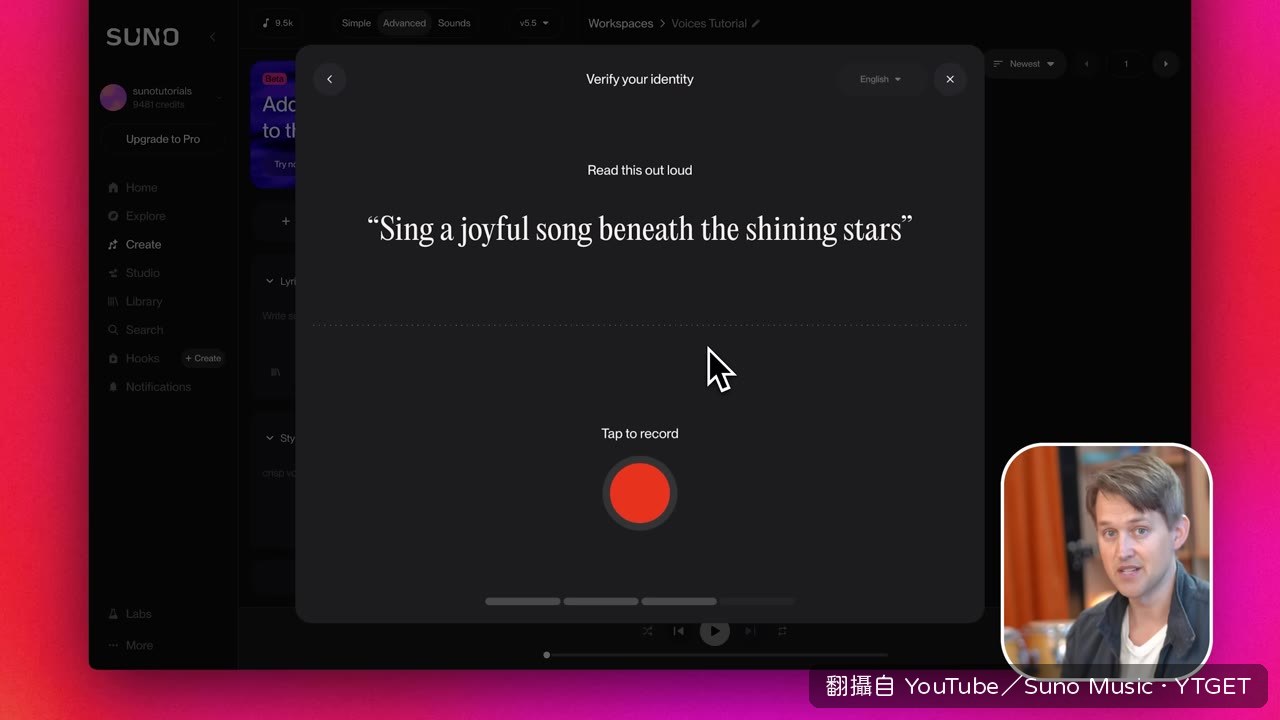
聲音驗證的設計很貼心
Luke 示範錄音時,我原本以為只是隨便錄個幾句就能用。結果 Suno 要求你大聲朗讀特定提示語,再用這個說話聲音跟你上傳的唱歌聲音交叉比對,確認真的是本人。這層保護讓聲音不會被盜用,而且聲音檔完全私密,只有自己能用,這點真的讓人放心。
Custom Models 讓音樂更有你的樣子
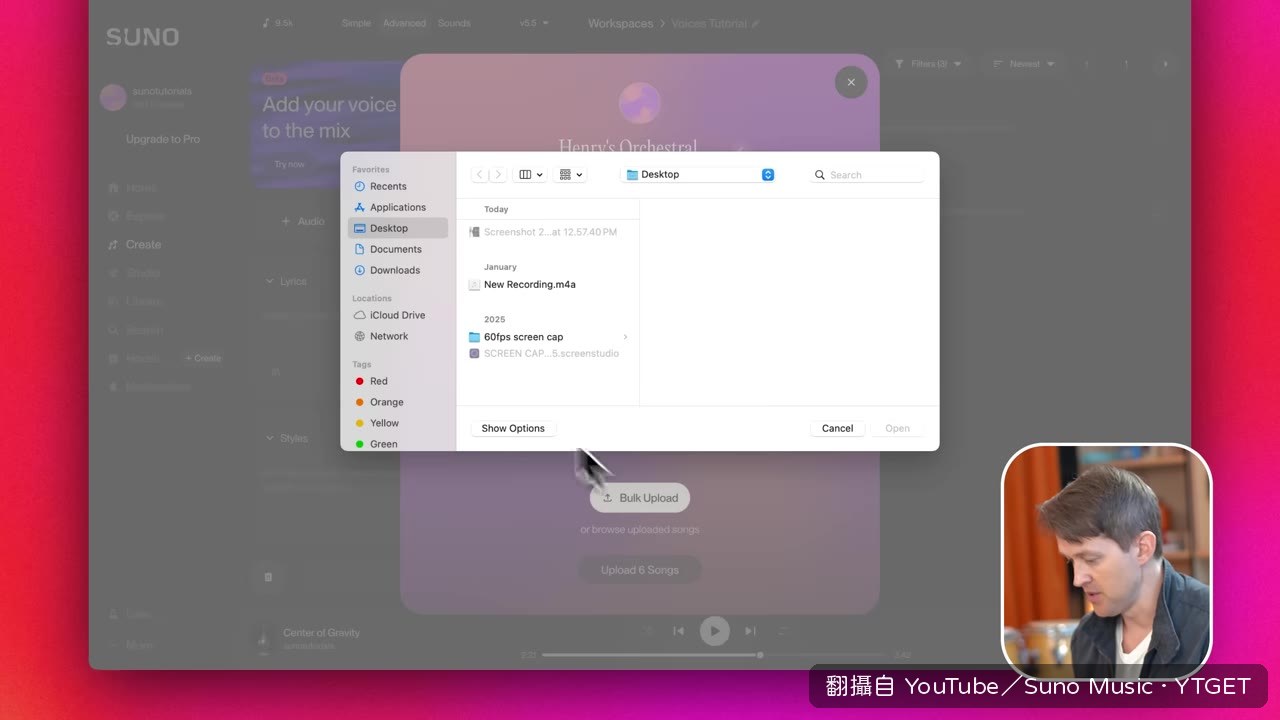
上傳六首自己喜歡或創作的歌,Suno 就會幫你打造一個專屬模型。Luke 用 Henry 的管絃樂當例子,做出來的成品跟 V5 比起來,細節和質感真的差很多。不過要注意,上傳的音樂版權必須是你的,這點在玩之前要先想清楚。
My Taste 默默學習你的喜好
這個功能預設開啟,Suno 會觀察你創作的風格、聽歌的偏好,慢慢建立一個屬於你的品味檔案。用越久,它就越懂你想要的音樂語言。如果不想被記錄,也可以隨時進設定關掉,自由度很高。
值得下載嗎?如果你是 Suno 的愛用者,這支絕對要存起來,因為它把三個新功能講得超清楚,從設定到實作都有示範,而且 Luke 的聲音示範真的很驚豔,看完會很想馬上試試看。
覺得這篇筆記有幫助嗎?